
Ai Vista
SCIENJOY META TECHNOLOGY L.L.CArt & Design
3.114.00 Reviews
- Version
- 1.5.2
- Installs
- 10.00K
- Age Rating
- Everyone
Screenshots
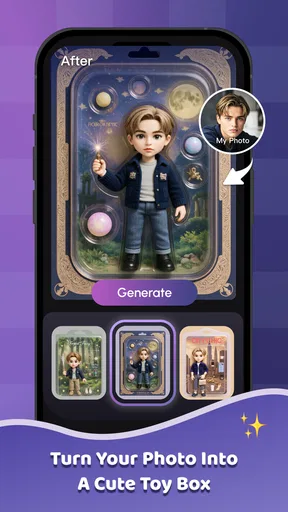
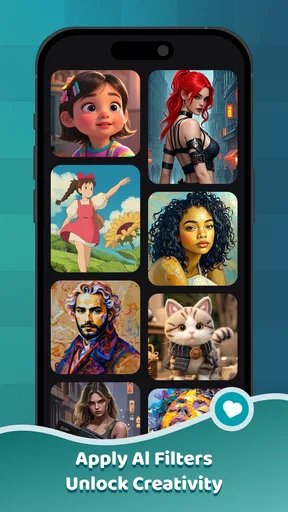
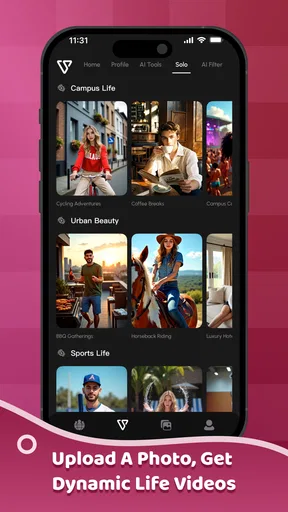
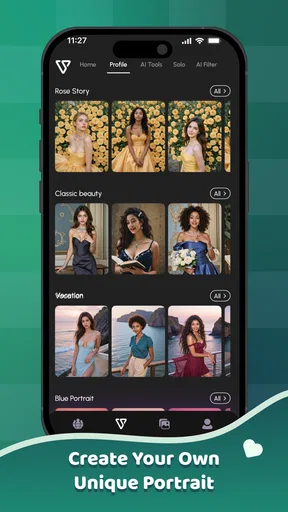
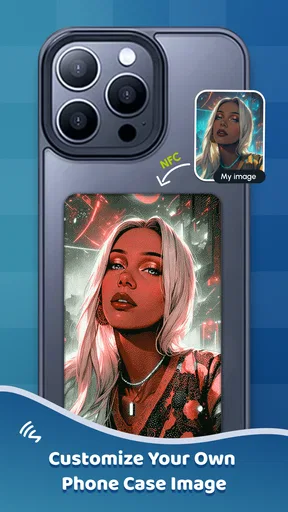
Our Review of Ai Vista
 Analysis by Appyee
I approached Ai Vista as a lightweight photo-editing app for people who want an AI-assisted result without opening a full desktop-style editor. Its focus sits firmly in the Art & Design category, and the store summary, “AI Magic for Photos,” gives a fair idea of the intended experience: start with an image, apply an intelligent visual treatment, and see whether the result is more useful or attractive than the original.
My overall impression is mixed but practical. The app is easy to consider because the basic download is free, it is rated for Everyone, and it runs on Android devices using version 6.0 or newer. At the same time, the average rating is 3.1 from around 59 ratings, so I would not approach it expecting a universally polished editor. I see it as something worth trying for quick experiments, not as an automatic replacement for a mature photo suite.
How Ai Vista fits into everyday photo editing
The developer, SCIENJOY META TECHNOLOGY L.L.C, positions the app around AI rather than a long list of conventional editing controls. That distinction matters. Traditional editors usually ask me to adjust exposure, shadows, saturation, sharpness, and cropping one control at a time. Ai Vista is more appealing when I want the software to do more of the visual interpretation for me.
A realistic use case would be preparing a casual image for a profile picture, a small social post, or a personal design project. I might have a photo that is technically usable but feels flat, and I would rather test an automated transformation than spend several minutes tuning sliders. In that situation, the app’s appeal is speed and curiosity: I can explore an AI-led result before deciding whether the image deserves more careful work elsewhere.
That convenience comes with an important qualification. AI photo tools are not the same as precise retouching tools. If I need exact skin-tone control, accurate product colors, careful typography, or a repeatable brand style, I would still choose a conventional editor. Ai Vista makes more sense when the goal is to discover a pleasing direction, not to guarantee pixel-level control.
The app was released on November 4, 2024, and the current version is 1.5.2. Those details suggest a relatively young product rather than an established editing platform with years of refinement behind it. I would keep that in mind when judging occasional rough edges, inconsistent results, or a workflow that may feel less complete than the one offered by better-known alternatives.
What the free entry point really means
Ai Vista is free to download, which makes the first decision straightforward: I can install it and judge the experience without paying an upfront purchase price. That is useful for an AI editor because the quality of the output is highly personal. One person may enjoy an artistic transformation, while another may find the same result too artificial or not close enough to the original image.
The more important cost detail is that the app includes in-app purchases ranging from $0.49 to $144.99 per item. That is a very broad range, so I would not treat “free” as a promise that every useful capability is free. The sensible approach is to explore the no-cost experience first, identify which part of the workflow I actually use, and only then consider whether a purchase delivers enough value.
I also would not assume that the highest-priced item is automatically the best choice. The verified pricing tells me the purchase range, but not that a large payment is necessary for ordinary editing. For occasional users, the free access may be sufficient. For frequent users, the value depends on the exact purchase option, how often it can be used, and whether the resulting images are important enough to justify spending. I would read each purchase screen carefully before confirming anything.
This is one of the app’s strongest practical advantages: I can test the concept before committing money. It is also its main financial caution. A free install lowers the barrier to experimentation, but the presence of expensive individual items means I should avoid treating every visible effect or enhancement as included.
Where the app can save time
The most convincing reason to use Ai Vista is not professional control; it is reducing the number of decisions between an ordinary photo and a shareable experiment. When I am editing a picture for a quick message or post, I may not want to learn a complete toolset. An AI-centered workflow can be useful precisely because it narrows the process to choosing an image, trying an effect, and judging the result.
A less obvious benefit is idea generation. I can use the app even when I am not sure what visual direction I want. Instead of beginning with a blank canvas and trying to imagine a finished design, I can use the generated treatment as a starting point. If the result is not right, it may still reveal whether the image would work better with a dramatic style, a softer treatment, or a more restrained edit.
For that reason, I would use it early in a creative workflow rather than at the very end. If I am preparing several concepts for a personal project, quick AI variations can help me decide which source image deserves detailed editing. This is a more useful role than expecting the app to replace every stage of a finished design process.
Another practical tip is to keep the original image untouched and compare results side by side. AI transformations can look impressive at first glance but may alter details that matter once I inspect the whole picture. Keeping the original available lets me borrow the overall mood while rejecting a result that changes the subject too much.
Tradeoffs that are easy to overlook
The first tradeoff is control versus speed. Ai Vista’s appeal comes from letting the app make creative decisions, but those decisions may not match my intention. If I need a face, object, or color to remain faithful, an automated effect can become a liability. I would be especially cautious with images where accuracy matters more than novelty, such as a product photo, an instructional graphic, or a portfolio piece.
The second tradeoff is consistency. A single attractive result can be valuable, but a series of images may not all receive the same treatment in a visually consistent way. If I am building a cohesive feed or a set of promotional graphics, I would test several images before relying on the app. A conventional editor is usually the safer choice when repeatability is central to the project.
The third tradeoff concerns spending discipline. Because the purchase range extends from small amounts to a much higher individual price, I would avoid tapping through an effect catalogue casually. The free download is a good invitation to test the app, but it does not remove the need to distinguish between experimenting and buying. I would decide in advance whether I am willing to pay for a single result or whether I only want a no-cost creative tool.
There is also a quality tradeoff between a fast first impression and a finished image. AI output can provide a strong concept quickly, yet I may still need another app for cropping, text placement, manual color correction, or final export preparation. In my view, Ai Vista works best as one stage in a broader workflow when the image matters, rather than as the only editor I keep on my phone.
How I would use it without wasting time
I would begin with a clear purpose instead of opening the app and trying every option at random. For a profile image, I would choose a well-lit source where the subject is easy to recognize. For an artistic post, I would pick a picture with a simple composition so that the transformation has room to show its character. Starting with a suitable image gives the AI a better chance of producing something I can actually use.
Next, I would compare the edited version with the original at normal viewing size, not only while zoomed in. A result can contain interesting detail but still look awkward in a feed or messaging app. This simple check helps separate a visually exciting preview from an image that works in the context where I plan to share it.
I would also avoid editing a valuable original as my only copy. Saving or retaining the source before experimenting is sensible with any creative app, especially one built around transformations. If I like the direction, I can continue refining it; if I do not, I have not lost the starting point.
For a small design task, I would treat the first AI result as a draft. I might use its mood as inspiration, then move to a more precise editor for the final crop or layout. This two-step workflow is more realistic than expecting an automated photo app to handle every design requirement equally well.
Who is most likely to get value
I think Ai Vista is best suited to casual creators, social-media users, and curious beginners who want to explore AI-assisted photo changes without paying an upfront fee. It can also appeal to someone who regularly has images that are acceptable but uninspiring and wants a quick way to test a different visual direction.
It may be useful for students working on informal visual concepts, hobbyists assembling mood boards, or anyone who wants to create a playful variation of a personal photo. The Everyone age rating also makes the app broadly approachable from a content-classification perspective, although I would still use normal judgment about the images I upload and the purchases I make.
I would recommend skipping it if I needed dependable professional retouching, exact controls, batch consistency, or a clearly predictable cost for a long-term workflow. A photographer preparing client work would likely be better served by an editor designed around manual precision. Likewise, someone who only wants basic cropping and brightness adjustments may find an ordinary gallery editor simpler and less distracting.
The current adoption level, with over 10 thousand installs, indicates that Ai Vista has attracted an initial audience, but it is not a reason by itself to assume that the app will suit every user. The rating gives me a more cautious signal: there is enough interest to justify trying it, yet not enough evidence for me to call it a universally reliable choice.
My verdict on value and spending
For me, Ai Vista earns a try because the download is free and the concept is easy to evaluate through actual use. I would install it when I want fast creative exploration, especially for a personal image where an imperfect but interesting result is acceptable. The app’s strongest value is the chance to turn a vague visual idea into something concrete with less manual effort.
I would not pay simply because an effect looks impressive in a preview. I would first confirm that the free experience fits my workflow, then judge whether a particular purchase solves a recurring need rather than producing one moment of curiosity. The range from $0.49 to $144.99 per item makes that distinction especially important. A small occasional purchase and a high-cost commitment represent very different value propositions.
My final recommendation is therefore selective. Try Ai Vista if you enjoy experimenting, want an approachable AI photo tool, and are comfortable treating the results as creative drafts. Keep a conventional editor nearby when precision, consistency, or professional reliability matters. Its free entry point makes exploration easy, but the right value comes from knowing when an AI-generated image is good enough and when it needs a more controlled finishing tool.
In short, I see Ai Vista as a promising experiment rather than a complete replacement for established photo editors. It is most convincing when I want speed, inspiration, and a low-risk first look at AI-assisted design. I would skip paid extras unless they clearly improve a project I already care about, and I would choose another app when exact editing matters more than creative surprise.
Verdict
Strengths of Ai Vista
- Generates polished images quickly from simple text prompts.
- Offers creative styles suitable for social posts and personal projects.
- Easy interface makes experimentation accessible to beginners.
- Useful for brainstorming visual concepts before starting a project.
- Results can be created without advanced design or editing skills.
Limitations of Ai Vista
- Output quality can vary significantly between different prompts.
- Some generated details may look distorted or inconsistent.
- Advanced features may require a subscription or in-app purchases.
- Creative results depend heavily on clear, specific prompt wording.
- AI-generated images may raise copyright or originality concerns.
Similar Picks in This Category
View All
Canva: AI Photo & Video Editor
Canva4.8

PENUP – Drawing-sharing SNS
Samsung Electronics Co., Ltd.4.5

Crafto
Kutumb App4.6

Sketchbook
Sketchbook4.1

ibis Paint X
ibis inc.4.5

Adobe Express: AI Photo, Video
Adobe4.6
Frequently Asked Questions
What is Ai Vista and what can I use it for?
Ai Vista is an AI-powered application designed to help users create, enhance, or explore visual content through intelligent tools. Depending on the version and available features, it may assist with image generation, photo editing, visual effects, or creative ideas. Its interface is generally aimed at both beginners and casual creators, although the exact tools can vary by platform and subscription plan.
Is Ai Vista free to download and use?
Ai Vista may be available as a free download, but some advanced tools, premium effects, higher-quality exports, or additional usage limits can require a subscription or in-app purchase. Before starting a project, check the pricing page and the app store listing carefully. Also review whether the app offers a trial period, automatic renewal, or limits on free daily generations.
Does Ai Vista require an internet connection?
Most AI-based features in Ai Vista require an active internet connection because requests are usually processed on remote servers rather than entirely on the phone. Basic browsing or previously saved content may remain accessible offline, but generation, enhancement, and cloud-based editing may not work without Wi-Fi or mobile data. Users with limited data plans should monitor usage.
Are images created with Ai Vista private and safe?
Before uploading personal photos or confidential material, review Ai Vista’s privacy policy and permission requests. AI services may process images and prompts on external servers, and the way content is stored or used can differ by feature and account type. Avoid uploading sensitive documents, private photographs, or identifiable information unless you understand the app’s data practices.
Which devices support Ai Vista, and are there any important limitations?
Ai Vista’s availability and performance depend on the operating system, device model, and app version. Check the official Google Play Store or Apple App Store listing for supported Android or iOS versions before downloading. Older phones may experience slower processing, limited export quality, crashes, or reduced access to demanding AI features, while some tools may also be restricted by region or account plan.
